

Screenshots
Tentang Telegram Desktop
Telegram Desktop adalah aplikasi pesan resmi Windows yang menghadirkan percakapan, panggilan, dan file Anda langsung ke PC Anda. Tetap terhubung di semua perangkat Anda dengan sinkronisasi tanpa batas—lanjutkan percakapan persis di tempat Anda meninggalkannya di ponsel Anda, baik itu obrolan satu lawan satu atau diskusi grup dengan ribuan anggota.
Nikmati panggilan video sejernih kristal dengan individu atau grup hingga 1.000 peserta. Selama panggilan, Anda dapat berbagi layar, menyesuaikan volume audio untuk setiap orang secara individual, dan mempertahankan kualitas suara yang sangat baik sepanjang waktu. Selain pesan, buat polling di dalam grup Anda dengan kontrol penuh atas pengaturan privasi—pilih voting publik atau anonim, aktifkan beberapa respons, dan bahkan gunakan mode ujian untuk survei terstruktur.
Akses semua file, gambar, dan memo suara yang Anda bagikan secara instan melalui klien desktop. Banyak pengguna mengandalkan Telegram Desktop sebagai jembatan yang nyaman untuk mentransfer file antara komputer dan perangkat seluler mereka, menghilangkan kebutuhan akan alat berbagi file terpisah. Setiap foto, dokumen, dan rekaman yang Anda bagikan di aplikasi seluler muncul langsung di percakapan desktop Anda.
Sesuaikan pengalaman Anda dengan antarmuka yang bersih dan intuitif yang dirancang untuk kesederhanaan dan kecepatan. Aktifkan atau nonaktifkan mode malam dengan satu klik, atau aktifkan penjadwalan otomatis di pengaturan agar sesuai dengan rutinitas harian Anda. Pilih dari beberapa tema warna untuk mempersonalisasi tampilan klien desktop Anda dan menciptakan ruang kerja yang sempurna. Tidak seperti alternatif pesan yang lebih besar, Telegram Desktop berjalan efisien dan mengonsumsi sumber daya sistem minimal, menjaga PC Anda tetap responsif.
Pengaturan hanya membutuhkan beberapa detik—daftar dengan nomor telepon Anda dan tunggu sebentar hingga percakapan dan grup Anda disinkronkan. Setelah selesai, seluruh riwayat obrolan, kontak, dan media Anda akan dapat diakses dari desktop Anda.
Satu tip praktis: pantau folder unduhan Telegram Anda secara berkala, karena dapat mengakumulasi penyimpanan dengan cepat tanpa pemberitahuan yang jelas. Untuk solusi pesan yang ringan dan kaya fitur yang membuat Anda tetap terhubung di platform Windows dan seluler, Telegram Desktop memberikan keandalan dan kecepatan dalam satu aplikasi yang ramping.
Kelebihan & Kekurangan
Kelebihan
- Seamless synchronization across Windows and mobile devices
- Crystal-clear video calls with up to 1,000 participants
- Built-in file sharing eliminates need for separate tools
- Lightweight app that consumes minimal system resources
Kekurangan
- Downloads folder can accumulate storage quickly without warning
- Phone number registration required before accessing any features
- No end-to-end encryption for group chats by default
Aplikasi Terkait

Educate Magis
Educate Magis
Connect with Jesuit educators worldwide—share insights, access global stories, and collaborate internationally.

Tap - Digital Business Card
Tap-Digital Business Card LLC
Digital business card app with lead capture, CRM sync, and team management for professionals.

TeamSpeak 3 (Klien)
Obrolan suara latensi rendah untuk tim gaming & komunitas — server pribadi, obrolan teks, & berbagi file.

IFFCO Echo
IFFCO Group
Internal communication and approval management for IFFCO employees — stay connected and collaborate.

Video Branch
IndusInd Bank Ltd.
Video banking with face-to-face consultations — connect with your bank manager anytime, anywhere.

تواصل
وزارة التعليم - Ministry of Education
Contact Ministry of Education officials directly. Submit proposals, track inquiries, and get SMS updates.
Latest Articles

Melhores alternativas ao ChekScan em 2026 (comparamos 7 aplicativos de cashback de recibos)
Jul 30, 2026

Os melhores apps de simulação de basquete no Android em 2026
Jul 29, 2026

Melhores jogos de battle royale crossover para desktop em 2026 (avaliamos 7)
Jul 29, 2026
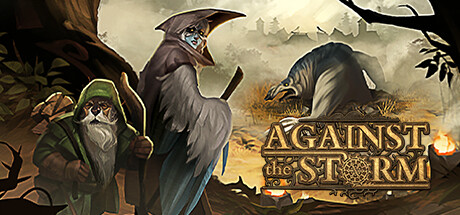
Melhores jogos city-builder roguelike para desktop em 2026 (avaliamos 7)
Jul 29, 2026
Melhores aplicativos para undervolting de GPU no Windows em 2026 (testamos 7)
Jul 29, 2026